SSD
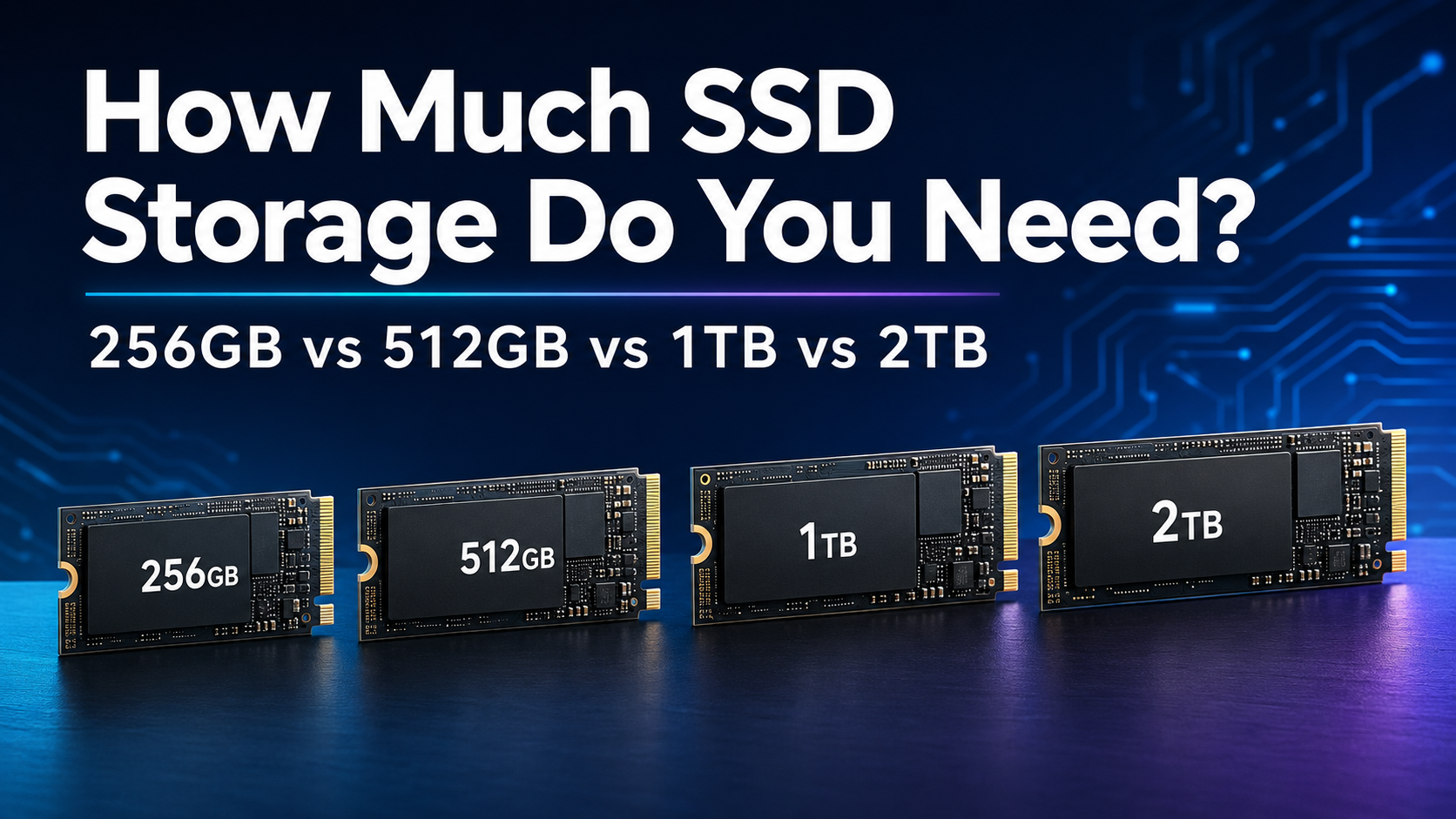
How Much SSD Storage Do You Need in 2026? 256GB vs 512GB vs 1TB vs 2TB
Find out whether you need a 256GB, 512GB, 1TB or 2TB SSD based on your Applications, Games, Files, Budget and future Storage needs.
Buying an SSD should be simple, but choosing the right capacity often causes more confusion than choosing the drive itself. Is 256GB enough for everyday use? Should you spend more on 1TB? And is 2TB unnecessary unless you are a Gamer or Content Creator?
For most people buying a computer or upgrading one in 2026, a 1TB SSD offers the best balance of storage space, price and long-term usability. A 512GB SSD is still a sensible choice for lighter use, while 2TB is better for large game libraries, video projects and people who prefer keeping most of their files locally.
A 256GB SSD can work for basic tasks, but space becomes limited quickly once the operating system, applications, updates and personal files are added.
This guide will help you understand how much SSD storage you need based on how you actually use your computer.
Quick Answer: How Much SSD Storage Do You Need?
- 256GB: Suitable for very light use, cloud-based work or a secondary computer
- 512GB: Suitable for students, office work and general home use
- 1TB: The best overall choice for most users, gamers and professionals
- 2TB: Best for large game libraries, creative projects and long-term storage
- 4TB or more: Mainly useful for professional media work, extensive libraries and specialist workloads
If you are unsure and your budget allows it, choose 1TB. It provides enough room for the operating system, applications and personal files without forcing you to manage storage constantly.
SSD Capacity Comparison
| SSD Capacity | Best For | Main Limitation | Our Verdict |
|---|---|---|---|
| 256GB | Basic browsing, documents and cloud storage | Fills up quickly | Only for very light use |
| 512GB | Office work, study and everyday computing | Limited for large games and media | Good budget choice |
| 1TB | Most users, gaming and professional work | Costs more than 512GB | Best overall value |
| 2TB | Large game libraries and creative work | May be unnecessary for light users | Best for demanding users |
Why Is the Available Storage Lower Than Advertised?
A new SSD does not normally display exactly the same amount of usable space as the capacity printed on its packaging.
Drive manufacturers advertise capacity using decimal measurements, while operating systems may calculate and display storage differently. Formatting, recovery partitions and system files can reduce the amount of space available to you further.
The operating system, preinstalled applications and recovery tools also use part of the drive before you save your first personal file. This means a 512GB computer will not give you the full 512GB for documents, games and photographs.
Always choose a capacity with some breathing room instead of calculating your needs down to the final gigabyte.
Is a 256GB SSD Enough?
A 256GB SSD can be enough for someone who mainly browses the internet, writes documents, attends online meetings and stores most files in the cloud.
It may also work well in a secondary laptop used for travel, schoolwork or basic office tasks. However, the available space becomes restrictive when you begin installing several large applications, downloading games or storing photographs and videos locally.
Windows 11 officially requires a storage device of at least 64GB, but this is only the minimum system requirement. The operating system, future updates, temporary files and applications need considerably more room during normal use.
Choose 256GB If:
- You mainly use a web browser and office applications
- You store most documents and photographs in the cloud
- The computer is a secondary or temporary device
- You do not install large games or creative applications
- Your budget is extremely limited
Avoid 256GB If:
- You plan to install modern games
- You store many photographs or videos locally
- You use video-editing or design applications
- You want to keep the computer for several years
- You do not want to manage storage regularly
A 256GB drive is usable, but it leaves little flexibility. If the price difference is reasonable, upgrading to 512GB is usually worthwhile.
Is a 512GB SSD Enough?
A 512GB SSD is a practical starting point for students, office users and households with moderate storage needs.
It provides enough room for the operating system, common applications, documents, photographs and a limited selection of games. It is also easier to manage than 256GB because routine updates and temporary files are less likely to create an immediate storage problem.
The limitation appears when you start building a large game collection or working with high-resolution media. A few large applications and games can consume a significant part of the available capacity.
Choose 512GB If:
- You mainly use the computer for work, study and entertainment
- You store some files locally and keep the rest in the cloud
- You only play a few games at a time
- You have access to external or network storage
- You want a capable SSD while keeping the cost down
Avoid 512GB If:
- You want a large collection of games installed simultaneously
- You regularly edit high-resolution videos
- You store an extensive photo or media library locally
- The storage cannot be upgraded later
For a budget laptop or a computer used primarily for productivity, 512GB remains a good choice. For a new main computer, however, 1TB provides more comfortable long-term capacity.
Is a 1TB SSD Enough?
A 1TB SSD is the best overall choice for most people in 2026. It provides a comfortable amount of storage without moving into the price range of higher-capacity drives.
It can accommodate the operating system, productivity applications, personal files and a reasonable collection of games. It also gives photographers, developers and occasional content creators more working space.
Most users can choose 1TB without worrying about upgrading again immediately. It offers a useful balance between present needs and future growth.
Choose 1TB If:
- You are buying a primary laptop or desktop
- You play several modern games
- You store photographs, music and videos locally
- You use professional or creative applications
- You want enough capacity for several years of normal use
- You prefer not to depend entirely on cloud storage
Consider More Than 1TB If:
- You maintain a very large game library
- You work regularly with 4K or higher-resolution video
- You store large project archives on the computer
- You cannot add another internal drive later
For most home, office and gaming computers, 1TB is the safest recommendation.
Is a 2TB SSD Worth It?
A 2TB SSD is worth considering if storage is central to how you use your computer. It gives you more freedom to keep games, applications, photographs, videos and active projects installed without constantly deciding what to remove.
Gamers can maintain a larger library, while video editors and photographers gain valuable working space for media, previews and cache files. Adobe recommends a fast internal SSD for applications and cache, along with additional high-speed storage for media in demanding Premiere workflows.
A 2TB drive can also make sense in a laptop with non-upgradeable storage. Paying for more capacity at the beginning may be easier than relying on external drives throughout the life of the computer.
Choose 2TB If:
- You install many large games
- You edit videos or work with large creative projects
- You have an extensive local photo or media library
- You use virtual machines or large development environments
- Your computer has only one storage slot
- You want to reduce your dependence on external storage
You May Not Need 2TB If:
- You mainly browse, stream and use office applications
- You keep most files in reliable cloud storage
- You can easily add another SSD later
- The upgrade would significantly stretch your budget
A 2TB SSD is not necessary for everyone, but it provides useful flexibility for gaming, creative work and long-term ownership.
How Much SSD Storage Do You Need for Gaming?
A 1TB SSD is a sensible minimum for most dedicated gaming computers. It provides room for the operating system, launchers, applications and a selection of games.
If you like keeping a large library installed, 2TB is the more comfortable choice. Game sizes vary widely, and additional content, updates and downloadable expansions can increase their storage requirements over time.
- Casual gaming: 512GB may be enough
- Regular PC gaming: Choose 1TB
- Large game collection: Choose 2TB
- Gaming and content creation: Consider 2TB or more
Console upgrades also have specific compatibility requirements. For example, a PlayStation 5 storage upgrade must use a supported M.2 SSD that meets Sony’s physical and performance specifications.
How Much SSD Storage Do Students Need?
Most students will be comfortable with 512GB. This provides space for documents, presentations, research material, communication applications and some personal media.
Students studying engineering, software development, animation, media production or design should consider 1TB. Specialist applications, project files, virtual machines and creative assets can use far more space than standard office documents.
- School and general study: 512GB
- Programming and technical courses: 512GB to 1TB
- Design, animation or video courses: 1TB to 2TB
How Much SSD Storage Do Office Users Need?
A 512GB SSD is enough for many office users, especially when documents are stored in Google Drive, OneDrive or another managed cloud service.
Choose 1TB if you handle large reports, offline archives, sales data, presentation libraries or several professional applications. The additional space also reduces the need for frequent cleanup.
Business users should remember that cloud synchronization does not always mean files consume no local space. Offline access settings can cause synchronized folders to use storage on the computer.
How Much SSD Storage Do Content Creators Need?
Content creators generally need more capacity than typical home users. High-resolution photographs, raw footage, project files, previews and application caches can consume storage rapidly.
- Basic photo editing: 1TB
- Regular photography work: 1TB to 2TB
- Occasional video editing: 1TB
- Regular 4K video editing: 2TB or more
- Professional media production: Multiple SSDs and a separate backup system
A common professional setup uses one SSD for the operating system and applications, another fast drive for active media and separate storage for completed projects and backups.
Capacity is only one consideration. Creative users should also compare sustained performance, endurance, connection type and cooling.
How Much Storage Do Developers Need?
A 512GB SSD can work for web development and lighter programming projects. A 1TB drive is more suitable when working with several development environments, local databases, containers or large repositories.
Developers who use multiple virtual machines, mobile-device emulators or large datasets may benefit from 2TB. These tools can use significant storage before personal files are considered.
- Web development and learning: 512GB
- Professional software development: 1TB
- Virtual machines and large datasets: 2TB or more
Should You Buy One Large SSD or Two Smaller SSDs?
One large SSD is simple to manage and can be particularly useful in laptops or compact computers with only one storage slot.
Two drives can provide more flexibility in a desktop. You might use one SSD for the operating system and applications, then use the second for games, project files or media.
Two separate drives do not automatically protect your data. If an important file exists on only one SSD, it is not backed up. Hardware failure, accidental deletion, theft and malware can still result in data loss.
Keep at least one separate backup of files you cannot replace.
Can Cloud Storage Replace a Larger SSD?
Cloud storage can reduce the amount of local capacity you need, but it does not replace local storage in every situation.
It works well for documents, photographs and files that do not need to remain available offline. However, access depends on your internet connection, synchronization settings and cloud-storage allowance.
Applications, games and active project files usually perform best when stored locally. Uploading large media libraries can also take considerable time.
A balanced approach works well for many users: keep applications and active files on the SSD, then use cloud or external storage for backups and archives.
Should You Leave Free Space on an SSD?
Yes. Avoid buying a drive that will be almost full immediately after setup.
The operating system needs working room for updates, temporary files and routine operations. Applications may also create caches, previews and other temporary data that expand over time.
As a practical planning guideline, choose enough capacity to retain a reasonable free-space buffer after installing your applications and moving your files. You do not need to monitor an exact percentage every day, but consistently operating at maximum capacity can make storage management frustrating.
How to Calculate the Capacity You Need
Before buying an SSD, check how much Storage you currently Use. Then consider the Applications and Files you expect to add over the next few years.
- Check the total Storage currently used on your Computer.
- Remove Temporary Files from the Calculation where Appropriate.
- Add the Expected size of new Applications and Games.
- Consider how quickly your Photo, Video or Project Library grows.
- Allow room for Operating-System updates and Temporary Files.
- Select the next practical capacity above your Estimated Requirement.
For example, if you already use approximately 350GB, replacing the drive with another 512GB model would leave limited room for growth. A 1TB SSD would be the more comfortable choice.
What Else Should You Check Before Buying?
- Interface: Confirm whether your computer supports SATA or NVMe.
- Form factor: Check whether you need a 2.5-inch or M.2 drive.
- Physical size: M.2 drives are available in different lengths.
- Available slots: Verify whether an internal storage connection is free.
- Upgradeability: Some laptops have storage that cannot be replaced.
- Warranty: Compare manufacturer warranty coverage.
- Endurance: Review the TBW rating for write-intensive workloads.
- Cooling: High-performance NVMe drives may require a suitable heatsink.
- Backup plan: An SSD should not be your only copy of important files.
If you are still deciding between the two main SSD technologies, read our NVMe vs SATA SSD comparison .
Frequently Asked Questions
Is 256GB Enough for Windows 11?
It can run Windows 11 and basic applications, but the remaining space may become limited after updates and personal files are added. A 512GB SSD provides a more comfortable experience for most users.
Is 512GB Enough for a Laptop?
Yes. A 512GB SSD is enough for many students, office users and households. Choose 1TB if you install several games, store large media files or plan to keep the laptop for many years.
Is 1TB Too Much for Normal Use?
No. A 1TB SSD provides useful room for applications, photographs, games and future files. It is the best all-round capacity for many new computers.
Do You Need 2TB for Gaming?
Not necessarily. A 1TB drive can support a reasonable game collection, but 2TB is more convenient if you want many large games installed simultaneously.
Does a Larger SSD Make a Computer Faster?
Capacity alone does not determine speed. Performance depends on the interface, controller, flash memory, cache and drive design. However, choosing sufficient capacity helps prevent the drive from becoming uncomfortably full.
Can You Add Another SSD Later?
It depends on the computer. Many desktop motherboards provide multiple storage connections, while thin laptops may have only one slot or non-upgradeable storage. Check the manufacturer’s documentation before buying.
Should You Store Everything on an SSD?
SSDs are ideal for operating systems, applications, games and active files. Large archives can also be stored on an external drive, network storage or a reputable cloud service. Important files should always have a separate backup.
Final Verdict
A 1TB SSD is the best choice for most people buying or upgrading a computer in 2026. It offers enough capacity for everyday applications, personal files and a reasonable game library without becoming excessively expensive.
Choose 512GB for lighter work, study or a budget-focused computer. Select 2TB if you play many games, create videos, manage large projects or want more room for long-term growth.
A 256GB SSD should mainly be considered for basic or secondary computers. Although it can handle everyday applications, the limited free space can become inconvenient quickly.
Before buying, check your current storage usage, computer compatibility and future requirements. Choosing slightly more space today may help you avoid an expensive or inconvenient upgrade later.
For Help comparing Drive Types, Read Our NVMe vs SATA SSD Buying Guide . You can also Explore our complete SSD Buying Guide for more Purchasing Advice.