Keyboard
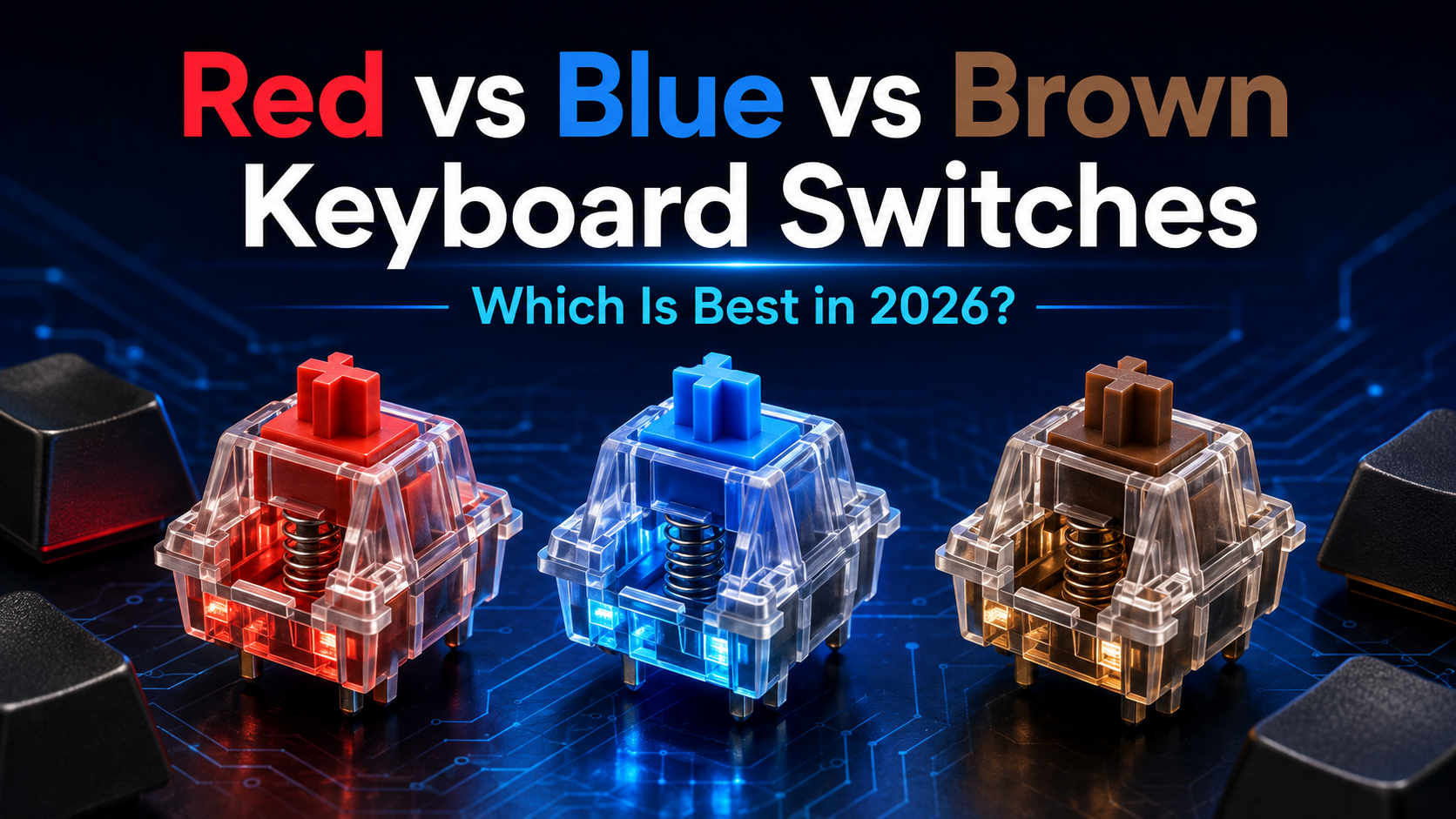
Red vs Blue vs Brown Switches: Which Is Best in 2026?
Red, Blue or Brown Switches? Compare their Sound, Feel, Gaming Performance and typing comfort to choose the right Mechanical Keyboard Switch in 2026.
Red vs Blue vs Brown Keyboard Switches: Which Is Best in 2026?
Choosing a mechanical keyboard often starts with a surprisingly colourful question: Should you buy red, blue or brown switches?
The colour is not about appearance. It usually describes how the switch feels and sounds when you press it. Red switches are generally smooth and linear, blue switches are tactile and clicky, and brown switches provide a tactile bump without the deliberate click of blue switches.
That sounds simple, but the best choice depends on how you use your keyboard. A switch that feels fast during gaming may cause accidental presses while typing. A switch that sounds satisfying at home may quickly become unpopular in an open office.
This red vs blue vs brown keyboard switches guide compares the three popular options for typing, gaming, work, study and everyday use so you can choose with confidence.
If you are still deciding whether a mechanical keyboard is right for you, begin with our Mechanical vs Membrane Keyboard comparison. For help with layouts, connectivity and other features, read the complete Best Keyboard Buying Guide 2026.
Quick Answer
- Choose red switches if you want a smooth, light keypress for gaming or prefer a switch without a tactile bump.
- Choose blue switches if you enjoy a clear tactile bump and an audible click while typing, and noise is not a concern.
- Choose brown switches if you want a balanced option for both work and gaming, with tactile feedback but no intentional click.
For most first-time mechanical keyboard buyers, brown switches are the safer all-round choice. Red switches are often preferred for gaming, while blue switches suit people who value crisp typing feedback and can use a louder keyboard without disturbing anyone.
What Do Keyboard Switch Colours Mean?
A mechanical keyboard has an individual switch beneath each key. Inside the switch, a stem moves against a spring and activates the electrical contact that registers your keypress. The shape of the internal parts, spring weight, travel distance and actuation point determine how the switch feels.
Switch colours became a convenient way to group common characteristics:
- Linear switches move smoothly from top to bottom without a tactile bump. Red is the best-known example.
- Tactile switches provide a small bump during the keypress. Brown is the familiar example.
- Clicky switches provide tactile feedback and produce a deliberate click. Blue is the familiar example.
However, colour names are not a universal technical standard. A red switch from one manufacturer may feel lighter, smoother or quieter than a red switch from another. Even switches with the same colour can differ in actuation force, travel, materials and factory lubrication.
Use the colour as a starting point, then check the exact switch model used in the keyboard. Official switch guides from CHERRY and Razer show how manufacturers group their linear, tactile and clicky options.
What Are Red Switches?
Red switches are linear switches. The key travels downward smoothly without a tactile bump or a click mechanism. This direct movement can feel fast and effortless, particularly during games that require repeated keypresses.
Many red switches use a relatively light spring, although the exact force varies by brand and model. Because there is no bump to overcome, small movements may register more easily. Gamers often like this responsiveness, but people with heavy resting fingers may trigger keys accidentally until they adjust.
Advantages of Red Switches
- Smooth key travel without interruption
- Comfortable for rapid and repeated keypresses
- No deliberate click mechanism
- Popular for gaming
- Often feels light and easy to press
- Available in many budget and premium keyboards
Disadvantages of Red Switches
- No tactile confirmation before a key registers
- Light versions may cause accidental keypresses
- Can feel less precise to typists who prefer feedback
- Standard red switches are not silent
- Bottoming out can still make considerable noise
Who Should Choose Red Switches?
Red switches suit gamers, users who prefer a smooth keypress and anyone who dislikes tactile bumps. They can also work well for long typing sessions if you type lightly and enjoy a fluid feel.
If quiet operation is your priority, look specifically for a silent red switch. Silent versions add internal dampening to reduce the impact at the top and bottom of the key travel. They usually cost more and may feel slightly softer than standard reds.
What Are Blue Switches?
Blue switches are clicky tactile switches. As you press a key, you feel a noticeable bump and hear a distinct click around the actuation point. The feedback makes it easy to recognise when the key has registered without pressing it all the way to the bottom.
Many people find blue switches satisfying for writing because every keypress feels deliberate. The sound can create a typewriter-like rhythm, but that same characteristic makes blue switches a poor choice for many shared environments.
Advantages of Blue Switches
- Clear tactile and audible feedback
- Satisfying for users who enjoy a crisp typing feel
- Easy to recognise the actuation point
- Can encourage lighter typing after practice
- Popular with writers and traditional typists
Disadvantages of Blue Switches
- Much louder than typical red or brown switches
- Can disturb colleagues, family members or people on calls
- The click may be picked up by a nearby microphone
- Repeated presses can feel less smooth during fast gaming
- The sound may become tiring during long sessions
Who Should Choose Blue Switches?
Blue switches are best for people who type in a private space and genuinely enjoy audible feedback. They can suit writers, students and programmers who value a clear response from every key.
They are not automatically bad for gaming. A blue switch will register game inputs properly, and some players enjoy the feedback. However, the bump and reset behaviour may feel less fluid during rapid repeated presses, while the noise can interfere with voice chat.
What Are Brown Switches?
Brown switches are tactile switches without a deliberate click mechanism. You feel a small bump as the key actuates, but the switch does not produce the sharp click associated with blue switches.
This middle-ground design is why brown switches are frequently recommended to first-time mechanical keyboard buyers. They provide some typing feedback while remaining versatile enough for work, study and gaming.
Advantages of Brown Switches
- Tactile feedback without an intentional click
- Balanced for both typing and gaming
- Generally more suitable for shared spaces than blue switches
- Easy transition for many first-time mechanical keyboard users
- Widely available across different price ranges
Disadvantages of Brown Switches
- The tactile bump may feel too subtle for some users
- Not as smooth as a linear switch
- Not as crisp or dramatic as a clicky switch
- Can still be noisy when keys hit the bottom
- Feel varies considerably between brands
Who Should Choose Brown Switches?
Brown switches suit users who divide their time between typing and gaming. They are also a practical option for home offices, although you should still consider keyboard construction and your typing style if other people work nearby.
Choose brown if you want to feel when a key registers but do not want the clear click of a blue switch. If you want a stronger bump, explore heavier tactile switches rather than assuming every brown switch will provide pronounced feedback.
Red vs Blue vs Brown Switches Compared
| Feature | Red Switch | Blue Switch | Brown Switch |
|---|---|---|---|
| Switch type | Linear | Clicky tactile | Tactile |
| Key feel | Smooth from top to bottom | Noticeable bump with a click | Small bump without a deliberate click |
| Typical sound | Low to moderate | Loud | Moderate |
| Typing feedback | Minimal | Strong | Moderate |
| Gaming feel | Smooth and easy to repeat | Defined but less fluid for repeated presses | Balanced and controlled |
| Office suitability | Good, especially with a quiet build | Poor in most shared offices | Good if bottom-out noise is controlled |
| Best for | Gaming and smooth typing | Typing in a private space | Mixed work, study and gaming |
| Main concern | Accidental presses or limited feedback | Noise | Subtle tactile bump |
These descriptions represent the common behaviour of each colour family. The exact sound and feel depend on the manufacturer, keyboard case, plate, keycaps, stabilizers and internal dampening.
Which Switch Is Best for Your Use?
Best Switch for Gaming
Red switches are the most common recommendation for gaming. Their smooth travel makes repeated movement keys feel easy, and the lack of a tactile bump can help fast inputs feel consistent.
However, switch colour alone does not determine gaming performance. Keyboard latency, polling rate, firmware and connection quality can matter more than whether the switch is red, blue or brown. A good brown-switch keyboard can perform better than a poorly designed red-switch model.
Choose brown switches if you want tactile feedback during gaming or use the same keyboard for substantial typing. Choose blue only if you enjoy the click and play where the sound will not create a problem.
Best Switch for Typing
Blue and brown switches are often easier to recommend for typing because their tactile feedback helps you recognise actuation. Blue provides the strongest sensory response, while brown offers a quieter and less dramatic version.
Red switches can still be excellent for typing. Fast typists who prefer minimal resistance may enjoy their smooth motion. Others may make more errors at first because the light, uninterrupted key travel provides less confirmation.
For writing at home, choose blue if you love a pronounced click. For professional work or mixed use, brown is the safer option. Choose red if you already know that you prefer linear switches.
Best Switch for Office Work
Brown or quiet red switches are usually the most practical office choices. Brown switches provide useful feedback without a click mechanism, while reds avoid the tactile bump and can feel smooth during spreadsheets, email and repetitive tasks.
Standard red and brown switches are not silent. If you press each key to the bottom, the keycap and switch can still create a noticeable clack. A keyboard with dampening, good stabilizers and silent switches will be more suitable for a shared workspace.
Avoid blue switches unless you have a private room or know that the sound is acceptable to everyone nearby.
Best Switch for Students
Brown switches are a flexible choice for students who type assignments, attend online classes and play games on the same device. Red switches are also suitable when gaming is the priority or when the student prefers a smooth feel.
Blue switches can be enjoyable for note-taking and writing but may disturb roommates, family members, classmates or people in a library. A loud keyboard can also be distracting during online lessons.
Best Switch for Programming
Programmers often choose brown or blue switches for their tactile feedback, but there is no switch that makes someone code faster. Comfort over long sessions matters more than the colour.
Brown is the safer option for an office. Blue can be satisfying in a private setup. Red suits programmers who prefer a smooth, light press or also spend considerable time gaming.
Which Switch Is the Quietest?
Among the standard red, blue and brown options, red switches are often perceived as the quietest and blue switches are clearly the loudest. Brown switches normally sit between them.
That ranking is only a general guide. Keyboard noise comes from several sources:
- The switch mechanism
- The keycap hitting the switch housing
- The switch returning to the top
- Large-key stabilizers
- The case and plate amplifying vibration
- The desk surface beneath the keyboard
- How firmly you type
A solidly built brown-switch keyboard can sound quieter than a hollow red-switch keyboard. A desk mat can reduce vibration, while internal foam and lubricated stabilizers can improve the sound of a compatible keyboard.
Rubber O-rings may soften the bottom-out impact, but they also shorten the landing and change the feel. If low noise is essential, a keyboard designed around silent switches is usually a better solution than trying to silence a loud board afterward.
Does the Switch Brand Matter?
Yes. CHERRY, Gateron, Kailh, Outemu, Razer and other manufacturers offer switches that use familiar colour names, but they do not all feel identical.
Differences may include:
- Actuation and bottom-out force
- Pre-travel and total travel
- The strength and position of a tactile bump
- The pitch and volume of a click
- Stem wobble and housing tolerances
- Factory lubrication
- Materials and dust or moisture protection
- Rated durability
For example, one brown switch can feel gently tactile, while another brand's brown-style switch may provide a more noticeable bump. One red may feel light and sensitive, while another may use a slightly firmer spring.
Do not judge a keyboard by colour alone. Read the exact specifications and, if possible, try the keyboard or a switch tester before buying. Keychron's overview of linear, tactile and clicky switch types also demonstrates how switches within each broad family can vary.
What Should You Check Before Buying?
1. Where Will You Use the Keyboard?
Noise should be your first filter. Blue switches may be enjoyable in a private room but unsuitable in a shared office, bedroom or library. Red and brown switches are easier to live with, although neither is automatically silent.
2. Do You Prefer Smoothness or Feedback?
Choose red for uninterrupted travel. Choose brown for a moderate bump. Choose blue for a pronounced tactile response with sound. There is no objectively superior feel.
3. How Heavily Do You Type?
Light red switches can register unintended presses if you rest your fingers heavily on the keys. Tactile feedback may help some typists control their keypresses. On the other hand, a heavy or strongly tactile switch can tire users who prefer a light touch.
4. Is the Keyboard Hot-Swappable?
A hot-swappable mechanical keyboard allows compatible switches to be removed without soldering. This can be valuable if you are unsure about your first choice or want to replace a faulty switch later.
Check compatibility carefully. Some boards accept three-pin and five-pin MX-style mechanical switches, while optical, low-profile and Hall Effect switches may require different sockets and cannot be mixed with standard mechanical switches.
5. Have You Tried the Switch?
Descriptions such as smooth, tactile and clicky are helpful, but switch preference is personal. If you cannot try a full keyboard in a shop, a small switch tester can help you compare several options at a lower cost.
Remember that a loose switch tester will not perfectly reproduce the sound of a complete keyboard. The board's plate, case, keycaps and mounting style affect the final experience.
6. Are the Other Keyboard Features Right?
Do not let switch colour distract you from layout, connectivity, keycap quality, software, battery life and compatibility. The perfect switch inside the wrong keyboard will still lead to a disappointing purchase.
Use our complete keyboard buying guide to check every major feature before you decide.
Should You Consider Other Switches?
Red, blue and brown are useful starting points, but the mechanical keyboard market now offers many alternatives.
- Silent red switches: Linear switches with internal dampening for quieter use.
- Black switches: Linear switches that are generally heavier than standard reds.
- Speed silver switches: Linear switches designed with a shorter actuation distance on many models.
- Clear or heavy tactile switches: Tactile options for users who want a stronger bump than common browns.
- Green or clicky alternatives: Heavier clicky switches for users who want stronger resistance and sound.
- Silent tactile switches: Tactile feedback combined with internal sound dampening.
- Low-profile switches: Shorter switches for a slimmer keyboard and reduced key travel.
- Optical or Hall Effect switches: Different sensing technologies that can support features such as adjustable actuation on compatible keyboards.
These options are worth exploring once you understand whether you prefer linear, tactile or clicky feedback. First-time buyers do not need to study every switch on the market before choosing a good keyboard.
Final Verdict
There is no single winner in the red vs blue vs brown switch comparison.
Red switches are the best starting point for gamers and users who want smooth, light movement. Blue switches are best for people who love strong typing feedback, work in a private space and do not mind the noise. Brown switches are the most balanced choice for users who want one keyboard for work, study, typing and gaming.
If you are buying your first mechanical keyboard and cannot test the switches, brown is generally the lowest-risk option. If gaming is your clear priority, consider red. If the click is the main reason you want a mechanical keyboard, choose blue after confirming that the sound will not disturb anyone.
The best switch is the one that feels comfortable throughout your normal day, not the one that receives the most attention online.
Frequently Asked Questions
Are Red, Blue or Brown Switches Best for Beginners?
Brown switches are often the safest choice for beginners because they provide tactile feedback without the loud click of blue switches. Red switches are also beginner-friendly if you prefer smooth key travel or mainly play games.
Are Red Switches Better Than Brown Switches for Gaming?
Red switches are commonly preferred for gaming because their linear travel feels smooth during rapid and repeated inputs. Brown switches remain a good gaming option for players who want tactile confirmation or use the same keyboard for substantial typing.
Are Blue Switches Too Loud for an Office?
Blue switches are usually too loud for a shared office because they produce a deliberate click on every keypress. They may be acceptable in a private room, but it is sensible to check with nearby colleagues first.
Are Brown Switches Quiet?
Brown switches do not have the click mechanism found in blue switches, but they are not silent. Bottoming out the keys, the stabilizers and the keyboard case can still produce noticeable noise.
Do Red Switches Cause More Typing Mistakes?
Light red switches can cause accidental keypresses for users who rest their fingers heavily on the keyboard. Most people adapt with practice, while others continue to prefer the confirmation provided by tactile switches.
Can I Change Red Switches to Brown or Blue?
You can change them easily if your keyboard is hot-swappable and the replacement switches are compatible with its sockets. A soldered keyboard requires desoldering and is not as convenient to modify.
Do Switch Colours Feel the Same Across Every Brand?
No. Colour names suggest a broad switch type, but actuation force, travel, smoothness, sound and tactile strength can vary between manufacturers and individual models.
Which Switch Lasts the Longest?
Durability depends on the exact switch model rather than colour alone. Check the manufacturer's rated keystrokes and the keyboard's warranty, and remember that build quality elsewhere in the keyboard also affects its useful life.