Keyboard
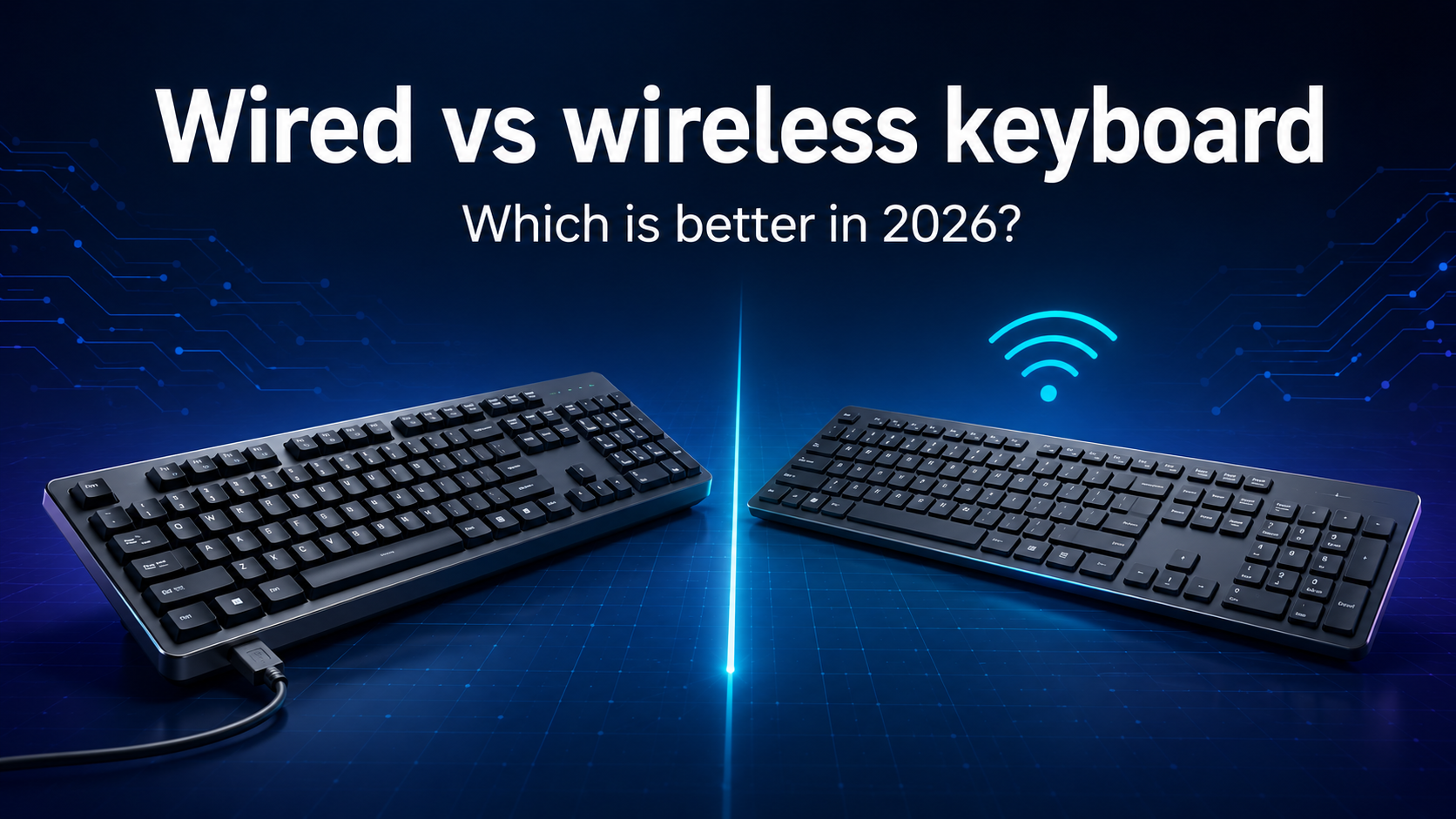
Wired vs Wireless Keyboard: Which is better in 2026?
Wired or wireless keyboard—which is better for you? Compare Latency, Reliability, Battery Life, Portability and Gaming Performance before choosing in 2026.
Wired vs wireless keyboard: Which is better in 2026?
Choosing between a wired and wireless keyboard used to be straightforward. Wired keyboards offered the dependable connection gamers wanted, while wireless keyboards were mainly chosen for convenience and a cleaner desk.
That distinction is much smaller in 2026. Modern wireless keyboards can provide responsive performance, long battery life and reliable connections. Some models also let you switch between a desktop, laptop, tablet and phone with a single button. Wired keyboards still have important advantages, including simple setup, uninterrupted power and consistent operation without pairing or charging.
The better choice depends on how you work, play and use your desk. This wired vs wireless keyboard comparison explains the differences in latency, reliability, battery life, portability, security, price and everyday convenience so you can choose the right connection type.
For help with layouts, switch types, ergonomics and other buying factors, read our complete Best keyboard buying guide 2026. If you are also comparing keyboard construction, our mechanical vs membrane keyboard guide explains how the two designs differ.
Quick answer
- Choose a wired keyboard if you want a simple, consistent connection, never want to think about battery life and do not mind a cable on your desk.
- Choose a 2.4 GHz wireless keyboard if you want cable-free convenience with responsive performance for gaming or everyday work.
- Choose a Bluetooth keyboard if you need portability, want to connect without occupying a USB port or regularly switch between multiple compatible devices.
- Choose a tri-mode keyboard if you want the flexibility of USB, a 2.4 GHz receiver and Bluetooth in one device.
For most office users, students and people who move between devices, a good wireless keyboard is the more flexible choice. For a fixed desktop, a shared office computer or a setup where reliability matters more than cable management, wired remains the simplest option. Competitive gamers should judge the exact model and connection mode rather than assuming every wireless keyboard performs the same.
How do wired and wireless keyboards connect?
A wired keyboard normally connects to a computer through USB-A or USB-C. The cable carries both power and keyboard data. In most cases, you plug it in and begin using it without pairing or installing special software.
A wireless keyboard usually connects in one or both of the following ways:
Bluetooth
Bluetooth keyboards connect directly to a compatible computer, tablet, phone or smart device. They do not require a dedicated USB receiver, which is useful for thin laptops with limited ports. Pairing takes an extra step, and performance can depend on the keyboard, the host device, power-saving behaviour and the wireless environment.
2.4 GHz USB receiver
A receiver-based wireless keyboard uses a small USB dongle supplied by the manufacturer. This connection is often designed for quick setup, stable performance and lower latency than a basic Bluetooth mode. The receiver occupies a USB port and may be difficult or expensive to replace if it is lost.
Some manufacturers offer receiver systems that can support more than one compatible peripheral. Logitech, for example, explains that a compatible receiver can connect several supported keyboards and mice, while its enterprise-focused Logi Bolt connection uses a closed receiver system with defined security modes.
Tri-mode keyboards
A tri-mode keyboard includes wired USB, 2.4 GHz wireless and Bluetooth. This gives you a dependable fallback if the battery is low or a wireless connection is unavailable. It can also let you use the receiver for gaming, Bluetooth for a tablet and USB while charging.
Do not assume that every detachable USB cable carries data. A few wireless keyboards use their cable only for charging. Check the product specifications if wired operation is important to you.
Wired vs wireless keyboard compared
| Feature | Wired keyboard | Wireless keyboard |
|---|---|---|
| Connection | USB cable | Bluetooth, USB receiver or both |
| Power | Powered by the connected device | Replaceable or rechargeable battery |
| Setup | Usually plug and play | May require pairing or a receiver |
| Latency | Consistent, but varies by model | Varies widely by connection and model |
| Reliability | Not affected by wireless interference | Can be affected by distance, interference or low battery |
| Desk appearance | Visible cable | Cleaner and easier to reposition |
| Portability | Usable anywhere with a compatible port | Convenient, but may require a dongle or pairing |
| Multi-device use | Usually requires moving the cable or a switch | Available on many Bluetooth and premium models |
| Maintenance | No charging or battery replacement | Requires battery monitoring and occasional charging |
| Typical value | More features may be available at the same price | Wireless hardware can add to the price |
| Best for | Fixed desks, shared PCs and simple setups | Flexible desks, portable setups and multiple devices |
Which has lower latency?
Latency is the time between pressing a key and the connected device receiving the input. A wired USB connection avoids the extra wireless transmission stage, but the cable alone does not determine a keyboard's total responsiveness.
Keyboard scan rate, debouncing, firmware, polling rate, switch behaviour and the computer can all affect the final result. A poorly designed wired keyboard can be slower than a well-designed wireless gaming keyboard. Likewise, a standard Bluetooth keyboard built for battery efficiency may feel less immediate than a model using a dedicated low-latency receiver.
Modern gaming brands design proprietary 2.4 GHz systems specifically for responsive play. Razer describes its current HyperSpeed Wireless technology as an adaptive, low-latency connection for esports use. Similar gaming-focused systems are offered by other manufacturers.
For normal writing, browsing, spreadsheets and office work, the difference between a good wired keyboard and a good wireless keyboard is unlikely to affect productivity. For rhythm games, competitive shooters or other situations where every millisecond matters, check independent latency measurements for the exact keyboard and the exact connection mode you plan to use.
Do not use the marketing polling rate alone as proof of low latency. A higher polling rate can reduce the interval between reports, but it does not remove delays elsewhere in the keyboard's input process.
Which is more reliable?
A wired keyboard provides the most straightforward path between the keyboard and computer. It does not need pairing, it is not affected by a depleted battery, and it avoids radio interference. For reception desks, shared workstations, BIOS access, troubleshooting and systems that must be ready every time, this simplicity is valuable.
Wireless keyboards can also be highly reliable when used within their intended range and with a clear signal. Problems are more likely when the receiver is far from the keyboard, hidden behind a metal computer case, connected through a noisy hub or surrounded by many devices using the same frequency range.
If a wireless keyboard occasionally misses inputs, try these checks:
- Charge the battery or install fresh batteries.
- Move the receiver closer to the keyboard.
- Avoid placing the receiver directly behind a large metal case.
- Test a different USB port or use a short extension cable.
- Remove nearby sources of interference where practical.
- Update the keyboard firmware and companion software.
- Re-pair the Bluetooth connection or receiver.
For a desktop that never moves, wired is still the safer choice if you want the fewest possible failure points. If convenience matters more, a reputable wireless model can be dependable enough for daily work and gaming.
Battery life and charging
Wired keyboards draw power from the connected computer, so there is no battery to monitor. Wireless keyboards use replaceable batteries, an internal rechargeable battery or, in a few cases, alternative charging methods.
Battery life varies dramatically. A basic office keyboard without backlighting may run for months on replaceable batteries, while a bright RGB mechanical keyboard used in a high-performance wireless mode may need charging much more often. The manufacturer's estimate is useful, but it is normally based on particular lighting, connection and usage conditions.
Backlighting is one of the biggest factors you can control. Reducing brightness, shortening the lighting timeout or turning the lights off can extend the time between charges. Logitech's current battery guidance similarly notes that keyboard life varies by model and settings and recommends reducing backlighting to save power.
Before buying a rechargeable keyboard, check whether it can continue working through USB while charging. Also check the charging connector. USB-C is convenient, but the presence of a USB-C port does not guarantee data support or fast charging.
Replaceable batteries or rechargeable battery?
Replaceable batteries can be changed immediately and may last a long time in low-power office keyboards. Rechargeable batteries reduce the need to keep disposable batteries nearby and are common in mechanical and premium productivity models. However, all rechargeable batteries lose capacity over time, and replacement may not be easy.
Which is better for gaming?
A wired keyboard remains an excellent gaming choice. It offers consistent power, avoids pairing and is available across almost every price range. If your keyboard stays on one desk, the cable may be a minor trade-off.
A good 2.4 GHz wireless gaming keyboard can now provide the responsiveness most players need while keeping the desk clear. The important word is good. Wireless performance varies, and Bluetooth mode is not automatically equivalent to the dedicated receiver mode on the same keyboard.
Choose wired for gaming if:
- You want dependable performance at the lowest practical cost.
- You do not want to monitor a battery.
- Your keyboard stays on one fixed desk.
- You play competitively and prefer the simplest possible connection.
- You use bright RGB lighting for long sessions.
Choose 2.4 GHz wireless for gaming if:
- You want a cleaner setup or frequently reposition the keyboard.
- The model has verified low-latency performance.
- You are comfortable charging it.
- You want to use the same keyboard with a living-room PC or console.
- The receiver and replacement options meet your needs.
Switch type and connection type are separate decisions. You can buy red, blue, brown or many other switches in both wired and wireless models. Our red vs blue vs brown keyboard switches guide will help you compare their feel and sound.
Which is better for work and study?
For most work and study tasks, comfort, layout and compatibility matter more than a small difference in latency. A wireless keyboard can be particularly useful when you use several devices or want to place a laptop on a stand while typing from a more comfortable position.
Some wireless productivity keyboards can remember multiple paired devices and switch between them using dedicated keys. Logitech's Easy-Switch overview, for example, explains how supported models can switch among as many as three connected devices.
A wired keyboard may be better for a shared office computer, a fixed workstation, a secure environment with wireless restrictions or a desk where the keyboard must always be ready. It is also easy for IT teams to move between computers without checking batteries or pairing histories.
For frequent video calls, keyboard noise may matter more than the cable. A quiet membrane keyboard, low-profile scissor keyboard or mechanical model with silent switches can be a better work choice than a loud keyboard of either connection type.
Students who carry a keyboard between classes should prioritise weight, size, protective storage and battery life. A compact Bluetooth keyboard can pair directly with tablets and phones, but confirm that its layout and shortcut keys match the operating systems you use.
Desk setup and portability
A wireless keyboard gives you more freedom to position your keyboard without routing a cable. This is useful on small desks, sit-stand desks, media-centre setups and tables that must be cleared regularly. It also makes the workspace look cleaner.
Wireless does not always mean more portable. A heavy full-size mechanical keyboard remains difficult to carry, while a light wired compact keyboard may fit easily in a bag. Receivers can also be lost, so look for a built-in storage slot if you travel often.
A detachable cable makes a wired keyboard easier to store and repair. It also lets you choose a cable length that suits your desk. For a wireless model, check the charging cable, receiver storage and physical power switch before buying.
If you use a laptop with only a few ports, Bluetooth avoids occupying one of them. If your desktop does not have Bluetooth, a receiver-based keyboard can be easier to set up than adding a separate Bluetooth adapter.
Wireless keyboard security
Keyboard input can include passwords, messages and business data, so wireless security should not be ignored. Security depends on the specific keyboard, its protocol, pairing method, firmware and how it is managed. A familiar brand name or a 2.4 GHz label does not explain the security design by itself.
For home use, buy from a reputable manufacturer, keep firmware updated and follow the documented pairing process. For an organisation, check whether the model meets internal security requirements and whether Bluetooth or USB receivers are permitted.
Logitech states that supported Logi Bolt keyboards use Security Mode 1, Security Level 4 when paired with a Bolt receiver and Security Level 3 for direct Bluetooth connections. This is an example of the kind of documented security information business buyers should look for rather than assuming all wireless keyboards behave alike.
Wired keyboards avoid radio transmission between the keyboard and computer, which can simplify deployment in restricted environments. However, physical access, compromised firmware and an untrusted computer remain risks regardless of the connection type.
Price and long-term value
At the same price, a wired keyboard may spend more of its budget on switches, keycaps, case materials, sound treatment or extra controls because it does not need a battery and wireless electronics. This is especially relevant in the budget mechanical category.
Wireless keyboards can justify their higher price if you benefit from multi-device switching, portability and a cleaner desk. The value disappears if you keep the keyboard connected by cable all the time or never use its wireless features.
Consider these long-term costs:
- Replacement disposable batteries
- Battery capacity loss in rechargeable models
- A lost or damaged proprietary receiver
- A damaged fixed cable on a wired keyboard
- Replacement detachable cables or adapters
- Software and operating-system compatibility over time
A detachable wired cable and a replaceable wireless receiver can improve serviceability, but availability differs by manufacturer. Check replacement support before buying an expensive model.
How to choose the right keyboard
Choose a wired keyboard if you:
- Use one fixed desktop
- Want a plug-and-play connection
- Do not want to charge or replace batteries
- Need dependable access during troubleshooting or startup
- Want the best features available within a limited budget
- Do not mind managing a cable
Choose a wireless keyboard if you:
- Want a clean or flexible desk
- Regularly move the keyboard
- Use a tablet, phone or several computers
- Need multi-device switching
- Have limited USB ports and can use Bluetooth
- Are comfortable monitoring battery life
Choose a tri-mode keyboard if you:
- Want one keyboard for work and gaming
- Need both Bluetooth and receiver-based wireless
- Want wired operation as a backup
- Use different connection modes with different devices
Before buying, check the exact layout, operating-system support, receiver type, battery estimate, charging behaviour and whether the cable carries data. Then compare switch feel, keycap quality and ergonomics. Connection is important, but it should not distract you from the parts of the keyboard you touch every day.
Final verdict
Neither connection type is universally better. A wired keyboard is still the most straightforward choice for a fixed desk, uninterrupted power and consistent operation. It often gives budget buyers more keyboard for their money.
A wireless keyboard is better when flexibility matters. Bluetooth supports portable and multi-device setups, while a well-designed 2.4 GHz connection can deliver responsive performance for work and gaming. The trade-offs are battery management, possible interference and a higher price for comparable build quality.
If you are uncertain, a tri-mode keyboard gives you the widest range of options. Use the receiver when you want responsive wireless performance, Bluetooth with portable devices and USB when charging or troubleshooting.
Continue with our complete keyboard buying guide to compare layouts, switches, compatibility, ergonomics and price before making your final choice.
Frequently asked questions
Is a wired keyboard faster than a wireless keyboard?
A wired keyboard has a direct connection, but actual latency depends on the complete keyboard design. A high-quality 2.4 GHz gaming keyboard can be very responsive, while Bluetooth models built for battery life may have more delay. Compare independent measurements for the exact model if latency is critical.
Is a wireless keyboard good for gaming?
Yes. A wireless keyboard can be good for gaming when it uses a reliable low-latency connection. Dedicated 2.4 GHz receiver modes are generally the preferred wireless option for competitive play. Check battery life, measured latency and signal stability before buying.
Is Bluetooth or 2.4 GHz better for a keyboard?
Bluetooth is convenient for laptops, tablets and phones because it does not require a receiver. A proprietary 2.4 GHz connection is often preferred for gaming and fixed desktops because manufacturers can optimise it for responsive and stable performance. The better option depends on the exact product and use.
Can a wireless keyboard work while charging?
Many rechargeable wireless keyboards can work through their cable while charging, but not all of them support wired data. Some cables provide power only. Confirm the behaviour in the product specifications or manual before buying.
How long does a wireless keyboard battery last?
Battery life can range from days to many months depending on the keyboard, battery size, connection mode, lighting and usage. Backlighting, especially bright RGB effects, can reduce battery life significantly. Use the manufacturer's estimate only under the stated test conditions.
Can I use a wireless keyboard without Bluetooth?
Yes, if the keyboard includes a compatible USB receiver. Receiver-based wireless keyboards do not require the computer to have Bluetooth. A Bluetooth-only model will need built-in Bluetooth or a separate adapter.
Are wireless keyboards secure?
Security varies by model and connection system. Choose a reputable product with documented encryption and pairing security, keep its firmware updated and follow your organisation's device policy. Do not assume every wireless keyboard uses the same protection.
What happens if I lose the wireless receiver?
Some receivers can be replaced and paired again, while others are unique to the original keyboard. Bluetooth-capable models may continue working without the receiver. Check replacement compatibility with the manufacturer before purchasing a new dongle.