Keyboard
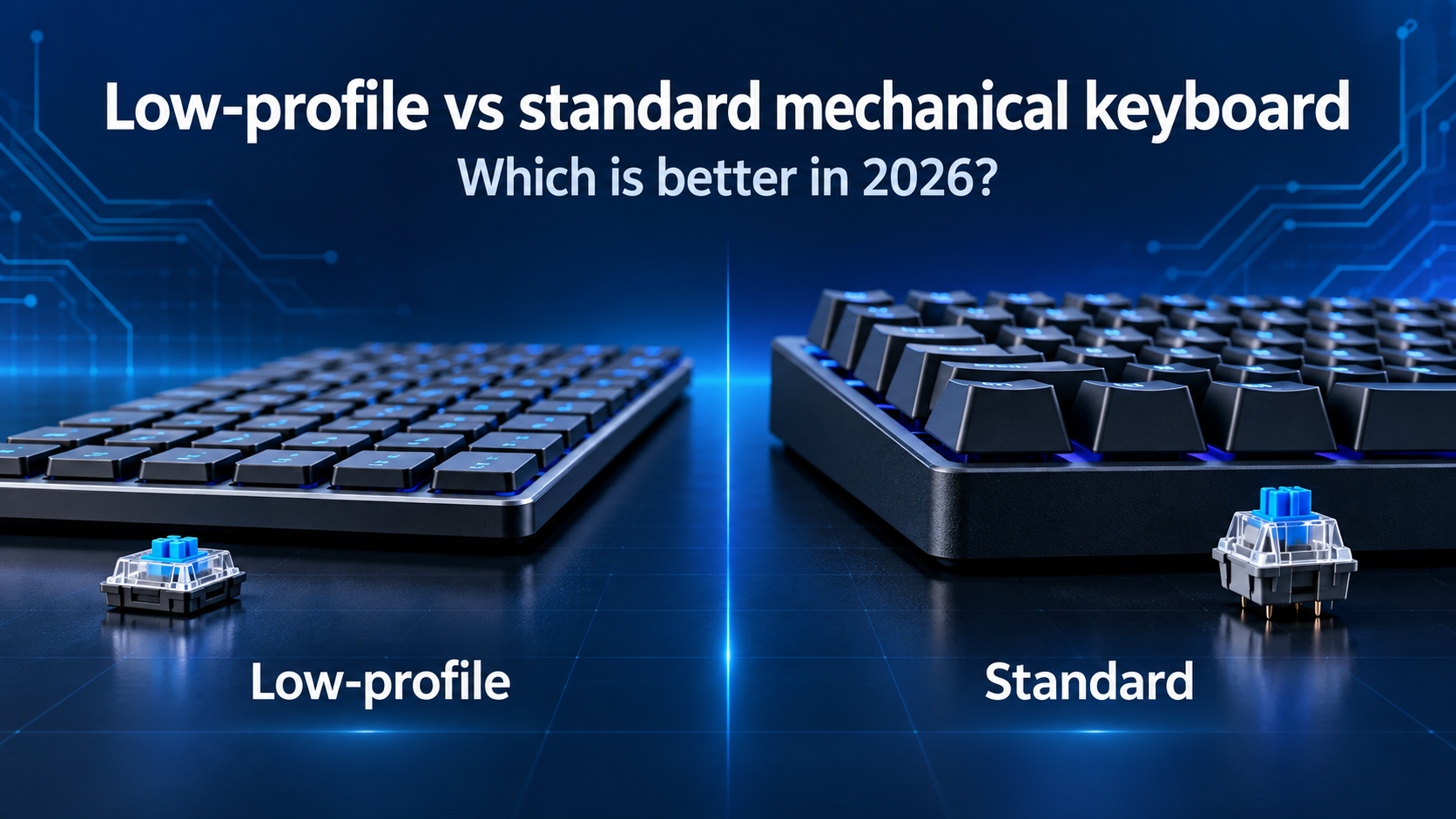
Low-Profile vs Standard Keyboard: Which is better in 2026?
Compare low-profile and Standard Mechanical Keyboards for Typing Feel, Gaming, Comfort, Sound, Portability and Customisation to find your best option in 2026.
Low-profile vs standard mechanical keyboard: Which is better in 2026?
Mechanical keyboards no longer have to be tall, heavy boards with deep key travel. Low-profile mechanical keyboards bring mechanical switches into a slimmer design that can feel closer to a laptop keyboard while retaining physical switch mechanisms.
The lower height looks modern and can make a keyboard easier to carry, but it also changes the typing experience. Standard mechanical keyboards usually provide deeper travel, stronger keycap sculpting and more opportunities for switch, keycap and case customisation.
Neither design is automatically better. Your ideal choice depends on the feel you prefer, how you position your hands, whether you travel, the games you play and how much you want to modify the keyboard later.
This guide compares low-profile and standard mechanical keyboards for typing, gaming, office use, sound, comfort, durability, portability and value. If you are still choosing between mechanical and non-mechanical designs, begin with our mechanical vs membrane keyboard comparison. For a complete overview of layouts, connections and features, read the Best keyboard buying guide 2026.
Quick answer
- Choose a low-profile mechanical keyboard if you prefer a slim design, shorter travel, easy movement between keys and better portability.
- Choose a standard mechanical keyboard if you prefer deeper travel, a more traditional mechanical feel and wider options for switches, keycaps and modifications.
- Choose low-profile for work if you are comfortable with laptop-like positioning but want more defined mechanical feedback.
- Choose standard-profile for enthusiasts if you want to experiment with sound, feel, cases, stabilisers and aftermarket parts.
Low-profile is often easier for laptop users to adopt, while standard-profile gives buyers the broadest mechanical-keyboard experience. For gaming, either can perform well; measured latency, firmware and switch behaviour matter more than height alone.
What is a low-profile mechanical keyboard?
A low-profile mechanical keyboard uses shorter switches, keycaps and usually a slimmer case than a standard mechanical keyboard. The reduced overall height places the key surfaces closer to the desk.
The switches still use individual mechanisms beneath the keys, but their internal structure and dimensions are designed for a thinner assembly. Travel and actuation distances are often shorter, although the exact measurements differ between switch families.
Low-profile mechanical switches can be linear, tactile or clicky. Logitech's current MX Mechanical, for example, offers low-profile switch choices described as Tactile Quiet, Clicky and Linear. Other manufacturers use their own mechanical or optical low-profile systems.
Advantages of a low-profile mechanical keyboard
- Slimmer and easier to carry
- Shorter movement between resting position and key surface
- Often feels familiar to laptop-keyboard users
- Shorter key travel can feel quick and light
- May be comfortable without a thick wrist rest
- Modern appearance that suits minimal desks
Disadvantages of a low-profile mechanical keyboard
- Smaller choice of compatible switches and keycaps
- Shorter travel may feel abrupt to some typists
- Low-profile standards vary between manufacturers
- Replacement parts can be harder to find
- Less space for extensive internal sound modifications
- Some models offer limited or no hot-swap support
Low-profile keyboards suit people who want mechanical feedback without a tall case. They are particularly attractive for hybrid workers, frequent travellers and users moving from premium laptop keyboards.
What is a standard mechanical keyboard?
A standard mechanical keyboard uses conventional full-height switches and keycaps. It normally provides more vertical key travel and a taller case than a low-profile model.
This category includes everything from basic prebuilt gaming boards to custom keyboards with aluminium cases, gasket mounting, specialised plates and extensive sound treatment. The broad ecosystem is one of its biggest strengths.
Standard-height switches are available in a very wide range of weights, travel distances and behaviours. Linear, tactile and clicky are the main families, but each includes many variations. Our red vs blue vs brown keyboard switches guide explains three familiar starting points.
Advantages of a standard mechanical keyboard
- Deeper, more traditional mechanical typing feel
- Wide selection of switches and keycaps
- More hot-swappable and customisable options
- Greater variety of cases, plates and mounting designs
- Easier access to replacement parts
- Available across nearly every size and price range
Disadvantages of a standard mechanical keyboard
- Taller front height
- May feel less natural without a wrist rest for some users
- Usually heavier and bulkier to carry
- Longer travel may feel slow to laptop-keyboard users
- Large cases can occupy more bag space
A standard mechanical keyboard is the safer option when you want maximum choice or plan to change switches and keycaps. It also suits users who enjoy deeper travel and a strongly defined mechanical feel.
Low-profile vs standard mechanical keyboard compared
| Feature | Low-profile mechanical | Standard mechanical |
|---|---|---|
| Overall height | Lower and slimmer | Taller |
| Typical key travel | Shorter | Longer |
| Typing feel | Quick, shallow and laptop-like | Deep and traditionally mechanical |
| Switch options | Growing but more limited | Very broad |
| Keycap options | More model-dependent | Much wider aftermarket |
| Hot-swap availability | Available on selected models | Widely available |
| Portability | Better | Depends heavily on case and size |
| Wrist rest | May not be necessary | Often useful with taller cases |
| Sound modification | More limited | More options and internal space |
| Best for | Travel, office work and laptop users | Traditional feel and customisation |
These are general tendencies rather than rules. A premium low-profile board may be heavier than a budget standard keyboard, and individual switches can make two keyboards in the same profile feel completely different.
Which is better for typing?
Typing preference is the biggest factor in this comparison. Low-profile keys require less vertical finger movement and can make it easy to glide between keys. People accustomed to modern laptops may become comfortable immediately.
Shorter travel can also feel more direct. However, users who strike keys firmly may bottom out more abruptly. A light low-profile switch can produce accidental inputs if you rest your fingers heavily on the keys.
Standard mechanical switches generally provide more travel and a wider range of spring weights. The deeper movement can feel more substantial, while sculpted keycap rows help guide the fingers. Some users find this satisfying and precise; others consider it unnecessarily tall.
Choose low-profile for typing if you:
- Prefer laptop-like key height
- Use a light touch
- Want less vertical movement
- Regularly switch between a laptop and external keyboard
- Do not need extensive keycap customisation
Choose standard-profile for typing if you:
- Enjoy deeper key travel
- Want more switch-weight choices
- Prefer strongly sculpted keycap rows
- Want to tune the sound and feel
- Plan to replace switches or keycaps later
If possible, test both designs. A few minutes of typing can reveal more than specifications alone because finger movement, force and keycap shape are highly personal.
Which is better for gaming?
Both profiles can be excellent for gaming. A low-profile switch may have shorter pre-travel and total travel, which can feel fast during repeated inputs. Current gaming lines such as Razer's DeathStalker low-profile range demonstrate that slim keyboards can be designed for high-performance play.
Short travel does not guarantee lower total input latency. Keyboard scanning, debouncing, firmware, polling and connection mode also affect response. A well-designed standard keyboard can outperform a poorly designed low-profile model.
Standard mechanical keyboards give gamers more switch choices. You can select light linear switches, heavier tactile options, adjustable magnetic switches or many other designs. Replacement switches and gaming-focused keycaps are also easier to find.
A low-profile gaming keyboard is worth considering if you want:
- Quick-feeling, shorter key movement
- A slim board for tournaments or travel
- A lower front edge
- A keyboard that feels closer to a laptop
A standard gaming keyboard is better if you want:
- The widest switch selection
- Deeper travel and more cushioning before bottoming out
- Extensive hot-swap and modification choices
- Easy replacement of gaming keycaps
Keyboard width can affect gaming more than keyboard height. Read our keyboard sizes guide to compare full-size, TKL, 75%, 65% and 60% layouts.
Height, wrist position and comfort
A low-profile keyboard places the key surfaces closer to the desk. This may help some users keep their wrists in a more neutral position without adding a thick wrist rest. Keychron's low-profile and normal-profile comparison identifies the shorter switches, keycaps and case as the central physical difference.
A standard keyboard's taller front edge may encourage wrist extension when the board sits flat and the forearms are positioned too low. A correctly sized wrist rest can support the palms during pauses, but it should not force pressure directly onto the wrists while typing.
Profile alone does not determine comfort. Desk height, chair position, keyboard angle, switch weight, keycap shape and typing technique all matter. A low keyboard at an unsuitable desk height can still feel uncomfortable, while a well-positioned standard board may feel excellent.
Try these adjustments with either design:
- Keep elbows close to the body.
- Avoid bending the wrists sharply upward or sideways.
- Use the keyboard feet only if the increased angle feels comfortable.
- Position the keyboard close enough that you do not reach forward.
- Take regular breaks during long typing sessions.
- Consider a wrist rest if the case is significantly taller than your natural hand position.
Persistent pain or numbness should not be treated as a keyboard-shopping problem alone. Seek professional medical advice rather than relying on an ergonomic marketing claim.
Which design is quieter?
Low-profile does not automatically mean quiet. Sound depends on the switch mechanism, case, plate, keycaps, stabilisers, desk surface and how firmly you type.
A low-profile tactile or linear keyboard may sound restrained because the switch and keycap travel are shorter. However, a clicky low-profile switch is deliberately audible, and a thin case can produce a sharp tone.
Standard mechanical keyboards offer more silent-switch choices and more room for foam, dampening and mounting changes. They can be made extremely quiet, but an untreated board with clicky switches may be much louder than a typical office keyboard.
If noise matters, prioritise the exact switch and keyboard construction. Look for sound demonstrations recorded under comparable conditions, but remember that microphones and desk surfaces can change the result.
Switches, keycaps and customisation
Standard mechanical keyboards have the clear advantage for customisation. The conventional MX-style ecosystem provides thousands of compatible switches and keycap sets, although layouts, socket direction and key sizes must still be checked.
Low-profile switches are less standardised. Switches that look similar may use different pins, sockets, stems or stabilisers. A hot-swappable low-profile keyboard may accept only a specific switch family.
Keycap compatibility is also more limited. Some low-profile switches use familiar cross-shaped stems, but the keycap height, stabiliser placement and bottom-row sizes can still create problems. Do not assume that a normal mechanical keycap set will work correctly.
Before buying a keyboard for modification, check:
- Whether the switches are soldered or hot-swappable
- The exact compatible switch series
- Switch pin and socket support
- Keycap stem and stabiliser compatibility
- Non-standard Shift, space bar and modifier sizes
- Whether the case can be opened without affecting the warranty
- Availability of replacement switches from the manufacturer
If experimentation is part of the appeal, choose standard-profile. If you want a finished product and do not plan to change it, limited low-profile compatibility may not matter.
Portability and desk setup
Low-profile keyboards are generally easier to slide into a laptop bag because the case and keycaps are thinner. They also pair naturally with portable and hybrid-work setups.
Keyboard size still matters. A full-size low-profile board may be wider and less portable than a standard-height 65% keyboard. Compare actual dimensions and weight instead of profile alone.
Wireless connectivity can improve portability, but it adds battery management and may require a receiver. Our wired vs wireless keyboard guide compares Bluetooth, 2.4 GHz and USB connections.
For travel, check whether the keys activate easily inside a bag and use a protective sleeve. A hard object pressing a switch for hours can drain the battery or stress the mechanism. A physical power switch is useful on wireless models.
Durability and maintenance
Both profiles can last for years when well built. Switch-life ratings are model-specific and do not measure the durability of the entire keyboard. Sockets, stabilisers, batteries, keycaps, cables and circuit boards can fail independently of the switches.
Standard keyboards often have an advantage in repairability because compatible replacement switches, keycaps and stabilisers are easier to obtain. Many enthusiast boards also use detachable cables and hot-swap sockets.
A low-profile board may be equally reliable in daily use, but a proprietary switch or stabiliser can make repair more difficult. Before buying an expensive model, check whether the manufacturer sells replacement keycaps, switches and receivers.
Clean either keyboard with the device disconnected. Use a soft brush or low-pressure air for loose debris, and follow the manufacturer's guidance before removing keycaps or applying any cleaning liquid.
Which is better for office work?
Low-profile mechanical keyboards are appealing for office use because they combine a slim design with more defined feedback than many membrane or scissor keyboards. They can be easier to move between desks and may require less adjustment for laptop users.
Logitech positions its MX Mechanical Mini as a compact productivity keyboard with low-profile tactile, clicky or linear options. It illustrates how the format can support office-focused features without giving up mechanical switch choice.
A standard mechanical keyboard is also suitable for work when its height and sound are appropriate. It gives you greater control over switch weight, tactile strength and noise. A standard board with silent switches may be more office-friendly than a low-profile model with clicky switches.
For shared spaces, consider:
- Switch noise and bottom-out sound
- Keyboard height and wrist-rest requirements
- Full-size versus compact layout
- Wired or organisation-approved wireless connectivity
- Operating-system and security requirements
- Ease of cleaning and device sharing
Choose the profile that supports long, comfortable work sessions without creating unnecessary noise for the people around you.
How to choose the right profile
Choose a low-profile mechanical keyboard if you:
- Prefer shallow, quick key travel
- Are moving from a laptop keyboard
- Want a slim and portable design
- Do not want a tall wrist rest
- Value a clean, minimal desk
- Do not plan extensive modifications
Choose a standard mechanical keyboard if you:
- Prefer deeper mechanical travel
- Want the widest switch and keycap selection
- Plan to use hot-swap or modify the sound
- Want easier access to replacement parts
- Enjoy sculpted keycap profiles
- Do not mind a taller or heavier case
Before deciding, compare the actual front height, switch model, pre-travel, total travel, keycap shape, weight and connectivity. The words “low-profile” and “standard” describe only part of the experience.
Final verdict
A low-profile mechanical keyboard is better for users who want a slimmer, more portable board with short travel and an easy transition from laptop typing. It can be a strong choice for office work, hybrid setups and gaming.
A standard mechanical keyboard is better for users who enjoy deeper travel or want the broadest selection of switches, keycaps and modifications. It remains the more flexible choice for enthusiasts and anyone concerned about future replacement parts.
For most buyers, feel should decide the result. Test both if possible, and avoid assuming that low-profile is automatically faster, quieter or more comfortable. The switch, case, firmware and your typing style matter just as much.
Continue with our complete keyboard buying guide to compare profile with layout, connectivity, ergonomics and budget before purchasing.
Frequently asked questions
Are low-profile mechanical keyboards better?
They are better for users who prefer a slim design, shorter travel and easier portability. Standard mechanical keyboards are better for deeper travel and wider customisation. The right choice depends on personal preference.
Are low-profile keyboards faster for gaming?
Shorter switch travel can feel fast, but it does not guarantee lower input latency. Firmware, scanning, polling, debouncing and connection mode also affect performance. Check measurements for the exact keyboard.
Are low-profile mechanical keyboards quieter?
Not necessarily. Noise depends on the switch, case, plate, keycaps and typing force. A clicky low-profile switch can be louder than a standard keyboard using silent linear or tactile switches.
Do low-profile keyboards need a wrist rest?
Many users can type comfortably without one because the front edge is lower. Comfort still depends on desk height, keyboard angle and individual posture, so use a wrist rest only if it improves your position.
Can I use normal keycaps on a low-profile keyboard?
Usually not without checking compatibility. Stem shape, stabilisers, switch travel and key sizes vary between low-profile systems. Use keycaps confirmed for the exact keyboard or switch family.
Can low-profile switches be replaced?
They can be replaced when the keyboard is hot-swappable and the replacement switch belongs to a compatible series. Soldered models require technical work, and one brand's low-profile switch may not fit another brand's socket.
Are standard mechanical keyboards more durable?
Not automatically. Durability depends on the complete product, not only its height. Standard keyboards often have an advantage in repairability because compatible switches, keycaps and other parts are easier to find.
Which profile is better for office typing?
Low-profile can suit laptop users and portable workstations, while standard-profile offers more choices for switch weight and sound. For a shared office, prioritise quiet switches, comfortable height and an appropriate layout.